Daily digest settings
The daily digest is an automatic email that sends tomorrow's schedule to office staff or field leadership every day — no need to remember to send it by hand. Each division sends its own digest to its own recipients. Admins and supervisors can manage these settings.
Setting the send time
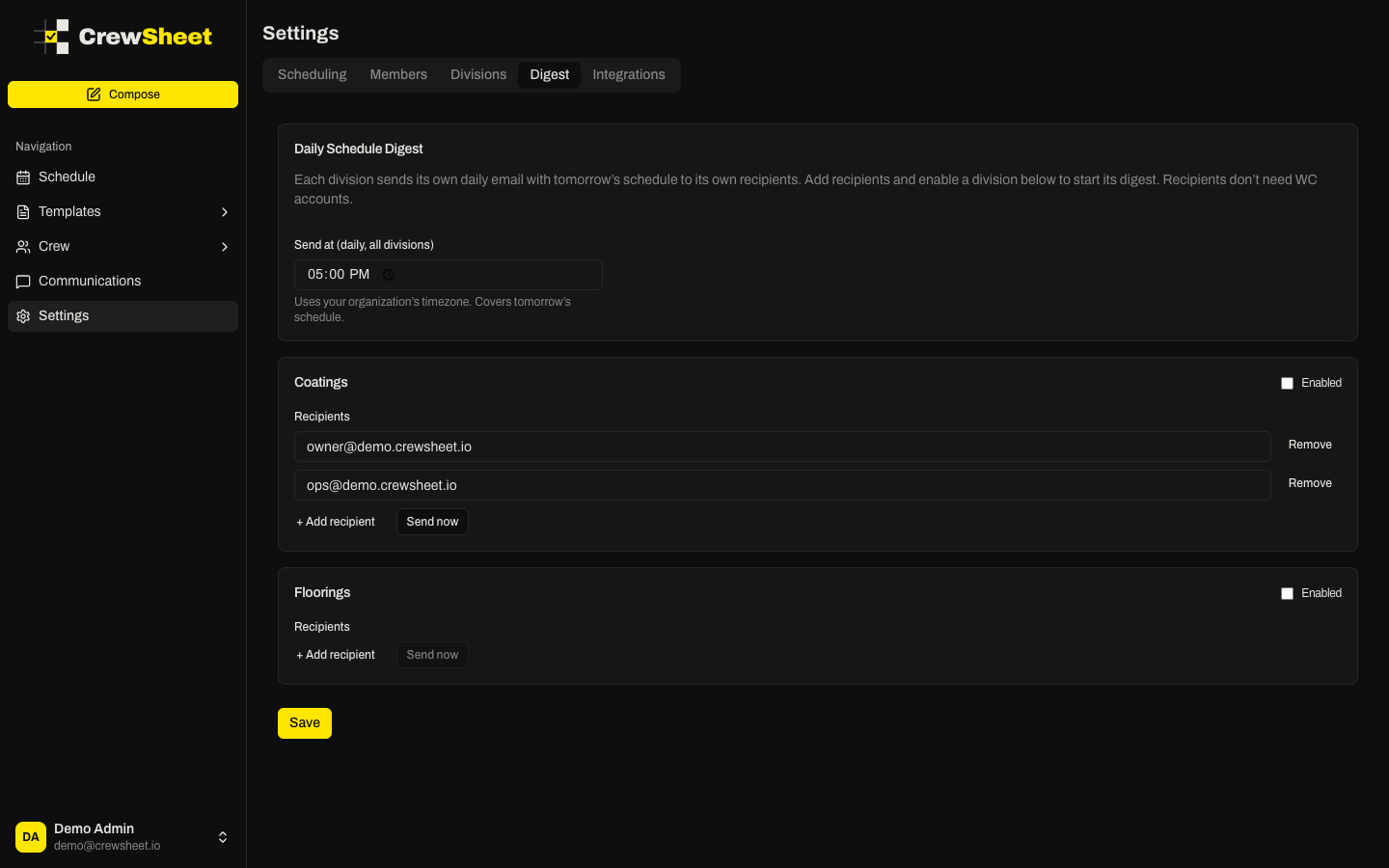
At the top, Send at (daily, all divisions) controls when every digest goes out. Pick a time — most operators choose late afternoon, such as 5:00 PM — so the next day's schedule lands before crew leave for the day. The time uses your organization's timezone and always covers tomorrow's schedule.
Setting up a division digest
Each division has its own card. For a division to send:
- Add one or more Recipients by clicking + Add recipient and typing an email address. Recipients do not need CrewSheet accounts.
- Check the Enabled box in the top-right of the card.
- Click Save at the bottom of the page.
If a division is enabled but has no recipients, you'll see a warning and no email will be sent.
Testing with Send now
To preview what recipients will get, click Send now on a division card. It immediately emails tomorrow's schedule to that division's recipients and reports how many were sent. This is a quick way to confirm your setup before relying on the daily send.
Read-only access
Schedulers can view digest settings but cannot change them. If you need edits made, ask an admin or supervisor.