One-Way Field Communication for Job-Site Crews
One-Way Field Communication for Job-Site Crews
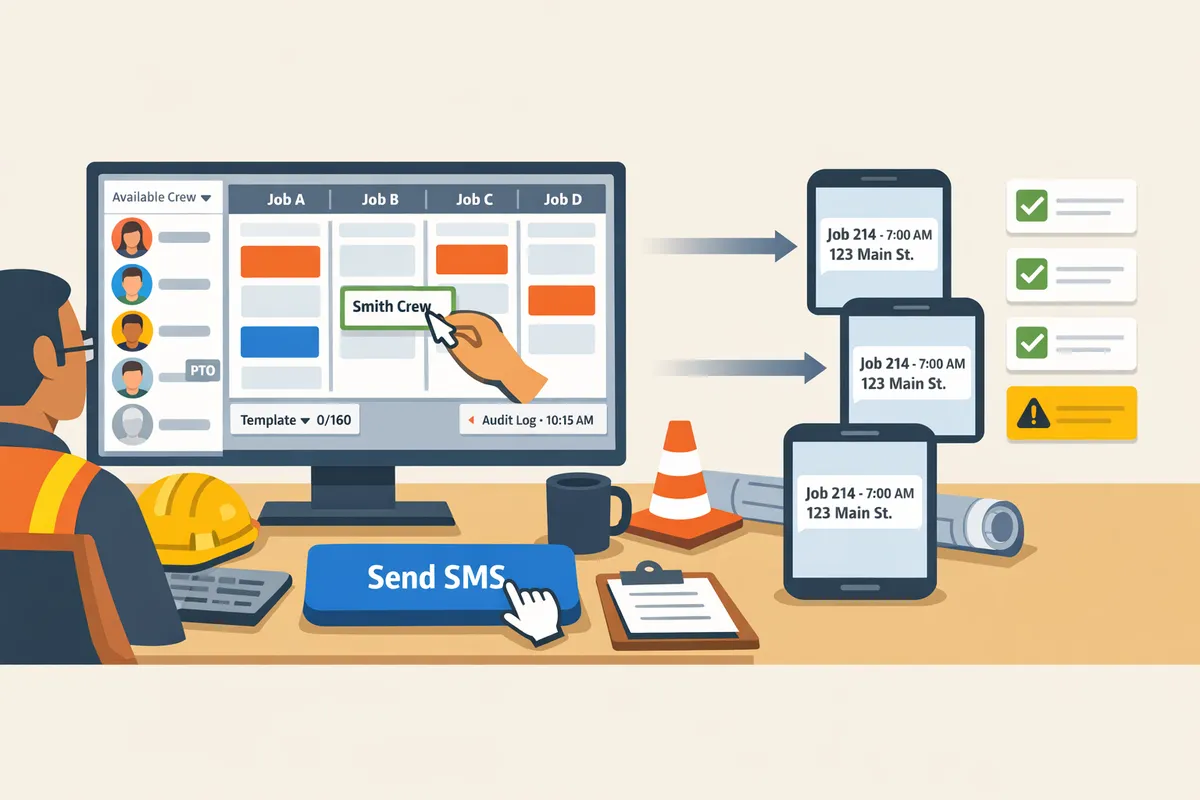
A single missed schedule text can cost a 12-person coatings crew 45 minutes of coordination and an entire morning of lost productivity. One-way field communication for job-site crews is a push-only messaging method that sends job details by SMS or email without requiring crew logins. This best-practices guide shows construction schedulers how to send no-login, one-way SMS and email updates reliably and with minimal overhead. CrewSheet's experience scheduling trades shows that consistent templates, sensible send windows, and carrier-compliant settings cut manual callbacks and message errors. See our CrewSheet features page for the day-board and template tools and our no-login field access article for implementation tips. We'll share templates and timing rules that prevent common failures.
What are the core principles of one-way field communication?
One-way field communication is a push-only messaging pattern that delivers job instructions to crews without requiring logins or replies. It reduces field friction by letting operators send start-time notices, last-minute safety alerts, or route changes directly to a phone number or email. CrewSheet supports this model by letting operators build a day board and push job details to crew contacts without forcing field workers to create accounts.
Which crews and roles benefit most? 👷
Small-to-midsize trades contractors with rotating day crews benefit most from one-way field communication. Operators and schedulers save repetitive messaging time, foremen get a filtered "who's on my job tomorrow" view, and crew members receive plain SMS or email without creating an account. For example, operators currently spending 20–40 minutes each morning copying schedules into group texts see the biggest gains; our no-login crew scheduling solution describes that routine and why SMS works for this profile. CrewSheet fits these users: a day-board, PTO-aware pool, and distribution lists keep the operator in control while field workers stay out of the login loop.
When should you use one-way messages versus two-way channels? 📩
Use one-way messages for routine, non-verifiable instructions and reserve two-way channels for items that require confirmations or records. Send job address plus start time, last-minute safety advisories, or simple route changes by SMS. Use phone calls or form-based workflows for permit approvals, incident reports, timecard disputes, or anything that requires a verified reply and an audit trail. Misusing one-way messages for confirmable items creates operational risk: missed approvals, payroll disputes, and unclear incident accountability.
Essential operational rules to enforce ⚠️
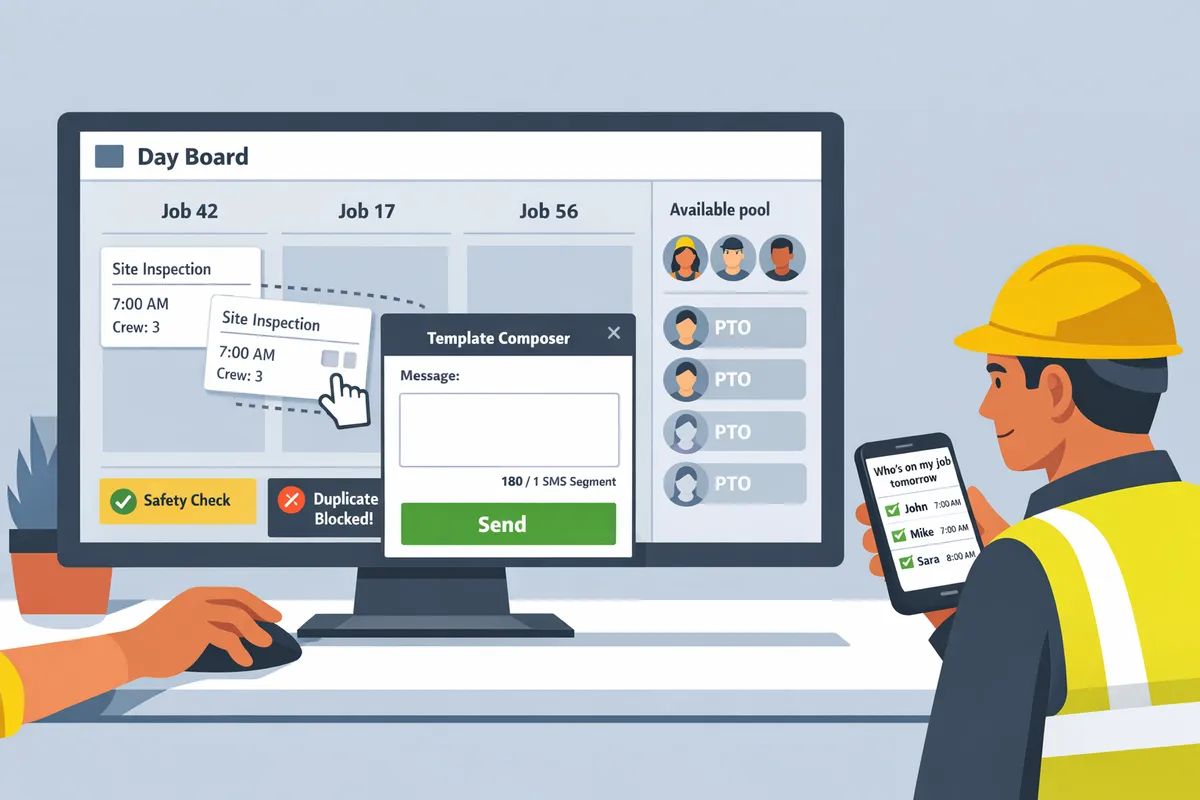
Enforce single-use scheduling, surface PTO, and keep messages narrowly scoped to avoid double-booking and confusion. Follow these steps before hitting send:
- Single-use check. Ensure no crew member is assigned to more than one job on the same date. Double-booking costs hours in missed starts and emergency reassignments. CrewSheet enforces single-use on the day board to prevent this mistake.
- PTO visibility. Show PTO in the available pool and remove or gray-out unavailable crew. Scheduling into PTO causes needless rework and morale issues. Our PTO-aware pool flags unavailable resources before assignment.
- Narrow message scope. Limit each outbound message to the minimal fields the crew needs to act: job number, address, start time, and foreman name. Long, bloated templates break when edited and create ambiguous instructions.
- Pre-send checklist. Verify the roster, confirm PTO state, run the single-use check, then pick the appropriate template and send.
💡 Tip: Always surface PTO and run a single-use check as the final step before sending the day-board. This prevents the two most common spreadsheet-era failures.
Which channels and templates work best for one-way messages?
SMS is the fastest and highest-read channel for one-way field communication for job-site crews. Email works well for lower-priority notices, attachments, and records, while push notifications only make sense if every crew member already uses an app. Picking the right channel and a tight template reduces confusion and wasted travel time on the jobsite.
Channel suitability comparison 📊
Choose SMS for urgent and morning schedule sends, email for non-urgent items or attachments, and app push only when an app is already adopted by the crew. Below is a side-by-side view of trade-offs so you can pick the right channel for each message type.
| Channel | Speed | Read-likelihood | Setup friction | Cost | Recommended use cases |
|---|---|---|---|---|---|
| SMS (A2P) | Immediate | Very high for field crews | Low for no-login model | Moderate per carrier rules | Morning schedules, last-minute site alerts, weather or safety hold notices |
| Same-day to hours | Medium for desk staff; lower for roaming crew | Low (but requires attachments support) | Low | Invoices, permits, attachments, non-urgent policy updates | |
| App push | Immediate | High if crew use the app regularly | High (installation, training) | Higher (development/maintenance) | Rich alerts, two-way tools, workforce that already adopted an app |
CrewSheet treats SMS as primary and email as secondary. For background on no-login SMS workflows and why they save operators time, see our No-Login Crew Scheduling Solution for Construction Field.
Template patterns for daily crew assignments 📝
Keep daily assignment texts to one or two short lines showing job address, start time, foreman, and any PPE or meeting point. Use consistent prefixes so crews scan quickly: "Job:", "Start:", "Foreman:", or "Announcement:".
Examples you can copy exactly:
- Job: 124 Main St. Start: 7AM. Foreman: Jake. Bring safety vest.
- Announcement: Job change — meet 8AM at staging lot.
Practical rules:
- Use abbreviations only where everyone understands them (e.g., "PPE: vest, goggles").
- Avoid comma-heavy sentences that wrap into multiple SMS segments. CrewSheet shows an SMS character and segment counter while you edit templates to prevent accidental long sends.
- Reserve email for PDFs, maps, or permits and link to the document in the office record rather than trying to attach it to a text.
For operators who still use spreadsheets and group texts, our guide on Crew Scheduling Software for Construction Trades explains how moving templates into a dedicated tool reduces copy-paste errors.
Compliance and deliverability rules
Registering your brand for A2P 10DLC and including clear opt-out language are the two highest-impact actions to reduce carrier filtering and compliance risk. Carriers increase filtering for unregistered traffic, and clear opt-out instructions protect you from complaints that cause blocks.
Practical steps:
- Use a sending provider that supports A2P 10DLC registration and business verification. CrewSheet includes built-in 10DLC A2P compliance so operators do not handle carrier paperwork directly.
- Put a one-line opt-out on every recurring SMS (for example, "Reply STOP to opt out") and keep records of consent linked to each phone number.
- Keep messages short to avoid multi-segment sends and stagger large broadcasts to prevent rate throttles.
💡 Tip: Always use double opt-in for SMS signups when collecting crew numbers outside payroll or HR lists.
For legal and privacy details, reference our CrewSheet privacy policy and CrewSheet Terms of Service. For practical setup and templates that reduce deliverability problems, see Scheduling Software for Construction Crews and Crew Scheduling Apps: Best for Construction 2026.
How do you implement one-way field communication and measure its impact?
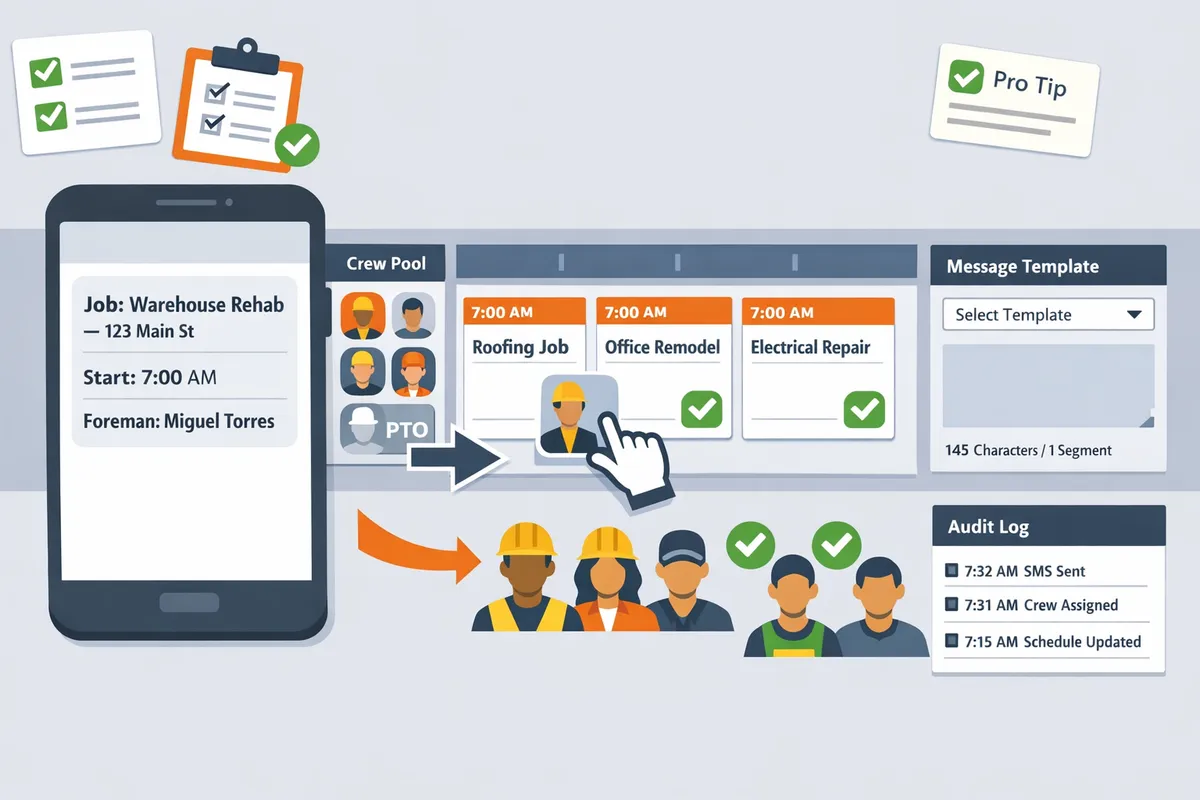
Implement one-way field communication by running a short rollout: import jobs and crew, build the day board, verify PTO, pick a message template, and send the daily notices while tracking a few core KPIs. This simple loop minimizes admin time and gives you measurable signals (delivery health and schedule-error incidents) to prove ROI. CrewSheet is built to support each step of that loop with a CSV importer, a PTO-aware day board, message templates, and a delivery audit log.
Step-by-step rollout for schedulers 🛠️
Follow a five-step daily routine: import crew and jobs, build the day board, confirm PTO and conflicts, pick a short template, then send and review the audit log.
- Import jobs and crew (CSV). Map name, phone (use +1 format for US numbers), email, role, default_start_time, and ideal_crew_size. Verify phone numbers with a spot check of 10% of rows before sending a live run. CrewSheet's CSV importer auto-detects common columns to speed this step.
- Build the day board. Drag workers from the available pool into job columns and confirm single-use enforcement prevents double-booking. For background on the day-board approach, see our no-login scheduling overview in the No-Login Crew Scheduling Solution for Construction Field.
- Confirm PTO appears grayed out and resolve any conflicts. Treat grayed-out crew as unavailable; if a supervisor claims they are available, require PTO approver sign-off and a note in the change log.
- Choose a short template and send SMS or email to the job distribution list. Keep templates focused: job name, address, start time, and foreman contact. CrewSheet shows SMS segment counts so you avoid surprise carrier splits.
- Review the communication audit log immediately after delivery. Check failures, carrier rejections, and any unexpected recipients before closing the day. Use the log to correct phone records and to feed weekly KPIs.
💡 Tip: Always confirm phone numbers and use double opt-in for SMS signups where possible to avoid deliverability issues.
Governance rules to avoid costly scheduling errors ⚙️
Assign one owner for each critical decision area and require a short pre-send review to prevent the most common mistakes.
- Template Owner: one person controls schedule message templates and edits go through a one-step approval to avoid broken scripts.
- PTO Approver: one designated staff member maintains the PTO calendar and resolves disputes.
- Operator pre-send review: the Operator runs a daily checklist (PTO, double-booking, foreman assigned) before hitting send.
- Change log: require every last-minute edit to include editor, timestamp, and reason; keep the log for 30 days.
Consequences of weak governance are concrete: a single PTO mistake or template typo can waste hours for an office and an entire morning for a crew. CrewSheet reduces this risk by greying out PTO in the pool and enforcing single-use rules, but policy must pair with the tool.
⚠️ Warning: Weak governance causes wasted hours and client complaints more than any technical limitation.
KPIs and measurement layout 📊
Measure delivery rate, schedule-error incidents, average time-to-send, and supervisor adoption to demonstrate impact.
| Metric | Definition | Target | Current |
|---|---|---|---|
| Delivery Rate | % of messages delivered to carrier endpoints | 98%+ | baseline |
| Schedule Errors | incidents per week (double-bookings, PTO violations) | 0–1 | baseline |
| Average Time-to-Send | time from board complete to messages sent (minutes) | <5 | baseline |
| Supervisor Adoption | % of supervisors using the filtered view / reviewing daily sends | 80%+ | baseline |
Collect these metrics from two sources: the communication audit log and delivery webhooks. Use the audit log to count failures and recipients, and use webhooks to capture carrier-level delivery events. Report weekly for operational fixes and monthly for ROI storytelling.
Example measurement process: count schedule-error incidents from the change log and audit entries over seven days to produce a weekly error rate. If errors fall from 4/week to 1/week, compute saved coordination hours by multiplying average coordination time per incident (for example, a single missed start often costs a 12-person coatings crew roughly 45 minutes of coordination and lost productivity) and multiply by hourly labor rates.
For more implementation playbooks and a refresher on board-driven dispatch, consult our Crew Scheduling Software for Construction Trades and Scheduling Software for Construction Crews posts. You can also review feature details at CrewSheet features to map these steps to product screens.
Frequently Asked Questions
This FAQ answers the most common operational and product questions about one-way field communication for job-site crews. Each answer explains what to do with CrewSheet and the practical consequences of not following the practice.
Can I send daily crew assignments by text without requiring logins? 📱
Yes. You can send daily crew assignments by phone-number distribution lists so field workers never need a login. CrewSheet sends schedule notifications via SMS or email to contact details you import from CSV or maintain in the roster. Build the day's board, pick a message template, and send to every assigned phone number without asking field crew to create accounts. For background on the no-login approach and why it saves morning admin time, see our no-login crew scheduling solution for construction field teams.
Is one-way SMS reliable for construction crews? ✅
One-way SMS is reliable for time-sensitive crew instructions when contact data and carrier registration are correct. CrewSheet reduces delivery risk by enforcing valid phone formats, offering delivery reporting in the communication audit log, and including built-in 10DLC A2P compliance that helps avoid carrier filtering. Common failure causes are incorrect numbers, carrier-level blocks, or messages split across multiple SMS segments; correcting roster data and using templates with a segment counter improves hit rate.
How do I keep PTO from messing up the schedule? 🗓️
Keep PTO visible in the available pool and block assignments for dates marked as PTO to prevent accidental scheduling. CrewSheet shows PTO as grayed-out and labeled in the day-board pool so operators see availability at a glance before dragging names onto jobs. Enforce a single-owner PTO process (one person approves and enters PTO) to avoid conflicting updates and the costly error of texting someone on their day off.
What should a daily schedule text contain? ✉️
A daily schedule text should include job name or number, full address or meeting point, start time, assigned foreman, and any critical PPE or meeting instructions. Keep the message concise so it stays within one SMS segment when possible; CrewSheet's templates and SMS segment counter make this easy. Example short text: 'Job 412 — 123 Main St. Meet at gate. Start 07:00. Foreman: Luis. Bring safety glasses and harness.'
Does CrewSheet handle 10DLC A2P compliance for business SMS? 🔒
Yes. CrewSheet includes built-in 10DLC A2P compliance so operators do not need to register separate carrier campaigns. That reduces the registration burden and lowers the chances of carrier filtering when you send business SMS to crews.
💡 Tip: Always use double opt-in for SMS signups where possible to reduce spam complaints and carrier risk.
How do I import jobs and crew from Google Sheets or CSV? 📥
Import jobs and crew with a CSV that includes columns for name, phone, email, role, and PTO dates and map those columns during the upload. CrewSheet supports CSV import with smart column detection to speed onboarding; include optional fields like default_start_time and ideal_crew_size to populate job cards. After import, verify a handful of rows in the roster and run a test send to a small internal list before sending company-wide.
What happens if a message fails to deliver? ⚠️
Failed deliveries appear in CrewSheet's communication audit log where you can review delivery status, timestamps, and recipient details and then correct phone numbers and re-send. Delivery webhooks exist for operational monitoring, but they are not a user-facing read-receipt feature; do not treat delivery = confirmation that the crew read the instruction. Use the audit log to spot patterns (bad area codes, repeated failures) and update the roster accordingly.
⚠️ Warning: Delivery status is not a substitute for field confirmation. If a job start is critical, follow up by phone or supervisor check-in rather than assuming a delivered SMS equals crew presence.
Next steps for adopting one-way field communication for job-site crews.
One-way messages reduce morning rework and stop double-booking by keeping schedule dispatch simple and push-only. Operators who send start-time SMS or email without requiring crew logins eliminate the common errors that come from copy-paste templates and scattered PTO data. This article shows practical checks you can apply at the board level to make messages reliable and repeatable.
Create your first day board in Crew Sheet and send a test schedule to a small pilot group as your next step. Use the no-login crew scheduling solution for construction field teams to verify templates and PTO visibility, then expand to full crews once messages land cleanly. See our crew scheduling guide for construction trades to compare workflows and avoid common pitfalls.
💡 Tip: Start with one foreman and one job for three mornings to validate message wording and delivery before rolling out to the entire pool.
Start with Crew Sheet, then subscribe to our newsletter for short, practical implementation tips and updates.