The PTO calendar
The PTO calendar is a month-long grid showing every crew member's time off at a glance, so you can spot coverage gaps before you build a schedule.
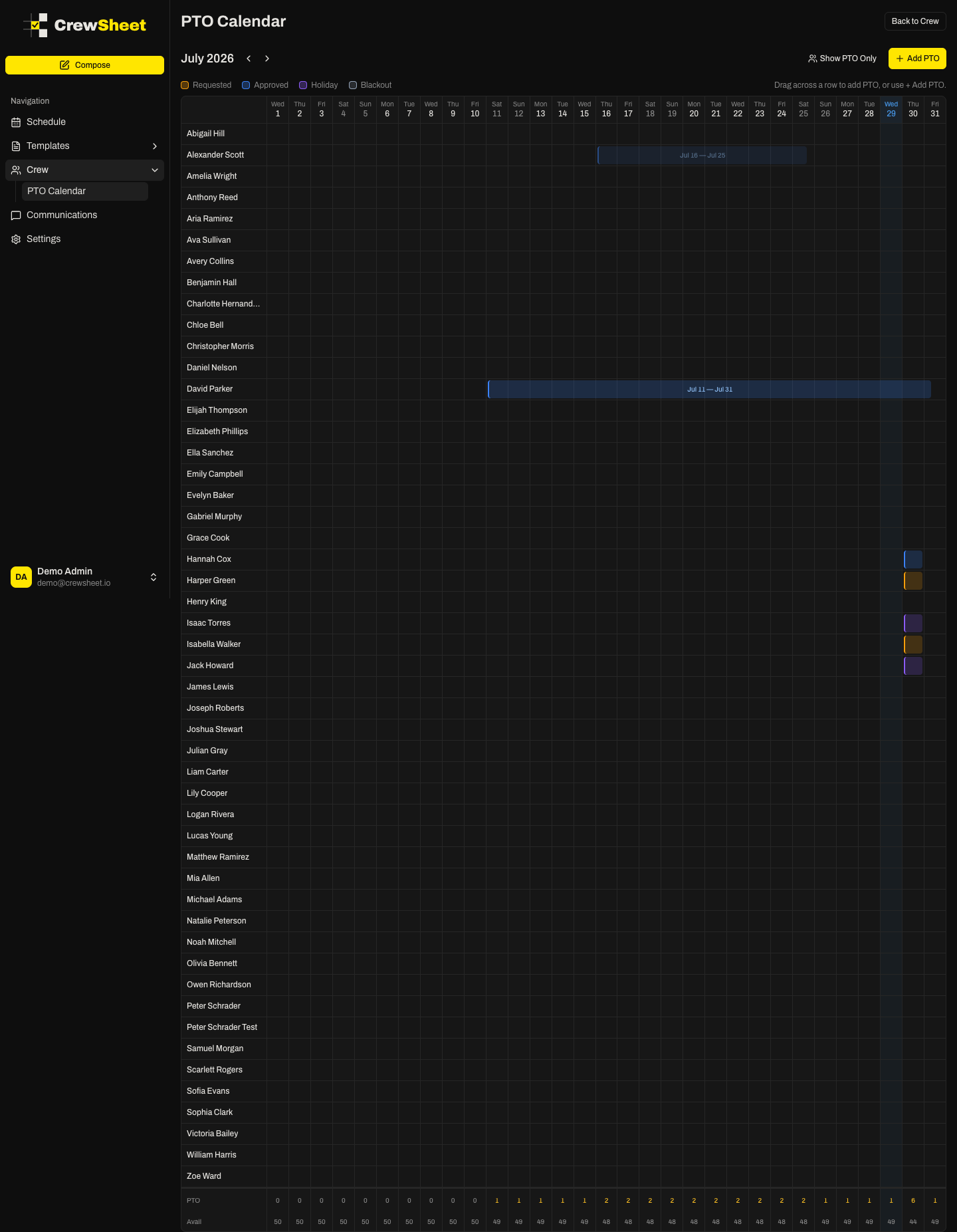
Reading the grid
Each row is one crew member and each column is a day of the month. Time off shows as a colored bar spanning the days off. Use the arrows next to the month name to move to the previous or next month. Today's column is highlighted, and PTO that has already passed is dimmed.
PTO types and colors
The legend above the grid shows what each color means:
- Approved time off (blue) — confirmed; the crew member is unavailable.
- Holiday (violet) — a day off for the crew; treated as unavailable.
- Requested time off (amber) — a request; a warning, but the person can still be assigned.
- Blackout date (slate) — a marker with no scheduling effect.
Staffing rows
Below the crew rows, two summary rows help you gauge coverage for each day:
- PTO — how many crew members are off that day.
- Avail — how many crew members are still available.
Focus the view
Use Show PTO Only / Show All Crew in the top right to switch between every crew member and only those with time off in view. To record new time off from here, see Recording PTO.