No-Login Crew Scheduling Solution for Construction Field

No-Login Crew Scheduling Solution for Construction Field
Operators waste 20–40 minutes every morning manually texting crews from spreadsheets, causing missed starts and duplicate bookings. A no-login crew scheduling solution for construction field teams is scheduling software that sends job details by SMS so field workers never create accounts. This article explains how Crew Sheet lets operators build a day's board, pick a template, and send every worker their job and start time by SMS in about 30 seconds. That replaces fragile Google Sheet plus group-text workflows and reduces admin time, scheduling errors, and PTO mistakes. For background on the day-board approach, see our crew scheduling for construction trades guide. By the end you'll see whether no-login SMS notifications fit your crew size and operations.
What are the real costs of running crew schedules from spreadsheets and group texts?
Running crew schedules from Google Sheets plus group texts creates measurable time loss, frequent errors, and weak audit trails. Operators spend daily minutes copying rows and pasting message templates, which produces mistakes that require phone calls, rework, and payroll headaches. CrewSheet replaces that brittle loop by adding targeted controls (PTO visibility, single-use assignments, and SMS templates) while keeping the spreadsheet flexibility schedulers expect. For a broader how-to, see our guide on Crew Scheduling Software for Construction Trades.
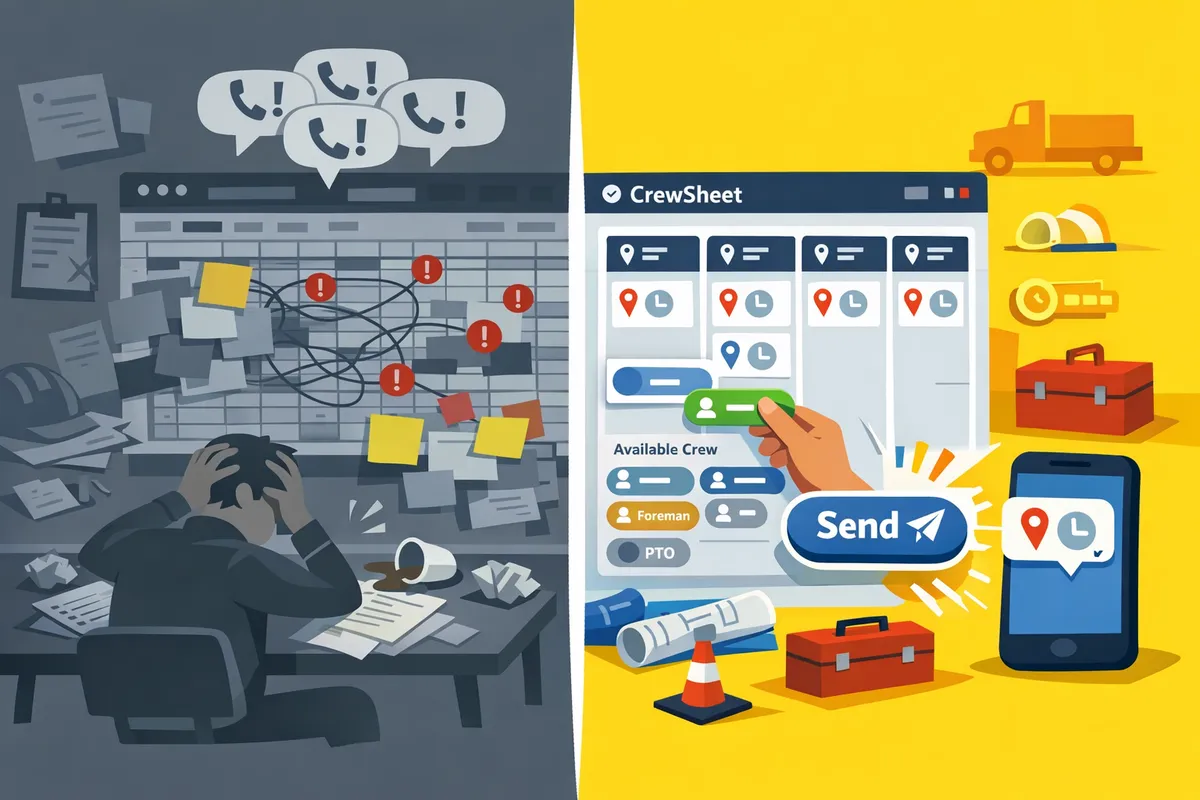
Which symptoms indicate your current workflow is failing? 🛠️
If you see accidental double-bookings, messages sent to people on PTO, or crews arriving at the wrong site, your workflow is failing.
- Accidental double-bookings. Example: a coatings operator copies a name into two job rows for the same day; both foremen expect that person and both call the office when they do not arrive. This usually spawns 20–40 minutes of phone triage each morning.
- People scheduled on PTO. Example: an HVAC tech marked on the office calendar as out still receives the daily group text because PTO lives in a separate file. The result: awkward calls, lost trust, and reactive rehiring.
- Inconsistent message formats. Example: copy-pasted SMS templates lose the job number or start time after a quick edit, sending crews to the wrong address.
- Scattered data across 3–4 tools. Example: jobs in accounting, crew in a spreadsheet, PTO in a shared calendar, and messages sent via phone threads creates mismatched records for payroll and audits.
CrewSheet addresses these symptoms with PTO-aware pools, pre-formed templates, and a single-use rule to prevent same-day double assignments—see how features map to real workflows on Built for the field.
💡 Tip: Mark PTO entries in the scheduler so unavailable crew appear grayed out and cannot be accidentally assigned.
What are the business consequences of those failures? 💸
Scheduling mistakes increase labor costs, delay job starts, and produce payroll reconciliation headaches. Operators wasting 20–40 minutes every morning on messages adds up: a single scheduler can lose roughly 2.5–5 hours per week to manual dispatch alone.
- Lost productive hours. Example: a coatings crew delayed 90 minutes because two techs were double-booked; the job required re-mobilizing equipment and added 3 billable hours of lost productivity.
- Extra travel and reassign costs. Example: re-routing a single HVAC tech adds mileage, labor time, and potential overtime for others covering the gap.
- Billing disputes and audit risk. Example: when attendance is unclear, clients dispute invoices and payroll teams spend days reconciling phone logs and texts.
CrewSheet reduces these business costs by enforcing one-job-per-day assignments, recording every outgoing schedule message in an audit log, and keeping communications tied to the job record rather than scattering them across phone threads. Read practical scheduling routines and ROI scenarios in our Crew Scheduling Software for Construction Trades guide.
Why full enterprise platforms create different problems for small trades operators? ⚙️
Enterprise platforms often create adoption and cost problems for small trades by requiring every field worker to log in and by enforcing rigid crew rules. Per-user seat pricing raises monthly costs quickly for a 10–30 person team. Onboarding every worker into a complex role model also slows rollout and reduces field adoption.
| Workflow | Typical pain points | Why small trades struggle |
|---|---|---|
| Spreadsheets + group texts | Cheap but fragile; no PTO checks; manual templates break | Low-cost short term, high operational risk at scale |
| Enterprise platforms (example: Assignar-style) | Enforced roles, per-seat billing, lengthy implementations | High cost, rigid rules, poor fit for rotating foremen and overstaffing needs |
| CrewSheet | No field-worker logins; single-use rule; SMS templates | Low friction adoption, structured enough to stop errors, flexible for trades |
Example: a per-seat model at $20/user/month scales to $400/month for 20 field workers before counting admin users. Many small contractors cannot justify that recurring cost or the time to onboard every worker. CrewSheet avoids those barriers with push-based SMS and no-login worker access while keeping the flexibility operators need. For integration notes and how CrewSheet fits into existing stacks, see Plays nice with your stack.
How does a no-login crew scheduling solution for construction field teams solve those problems?
A no-login crew scheduling solution sends day-based job assignments by one-way SMS or email and keeps a searchable record without forcing crew accounts. That removes the biggest sources of delay and error: fragile copy-paste message scripts, manual PTO checks, and the need for every worker to manage a username and password.
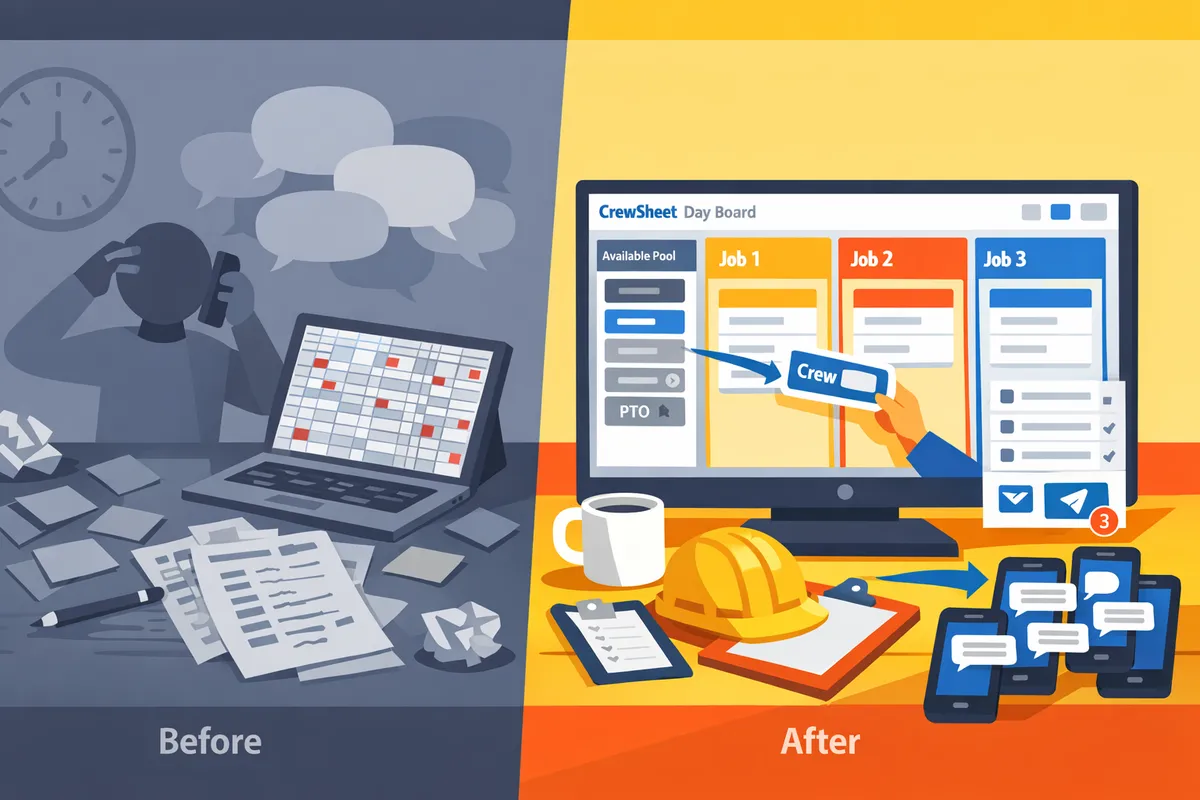
What core features must a no-login solution include to be practical? 🧰
A practical no-login solution must include a day board, drag-and-drop crew assignment, PTO visibility, message templates, and an audit log. Each item maps directly to an operator pain point:
- Day board reduces schedule-build time by showing jobs side-by-side so an operator can assemble the day in one glance. For example, a 10-job morning build moves from five minutes per job in a sheet to a single 3–5 minute pass on the board.
- Drag-and-drop assignment prevents copy-paste errors and supports bulk moves when foremen change plans mid-day. CrewSheet lets operators drag names from the pool onto a job and between jobs without retyping details.
- PTO visibility prevents accidental scheduling on days off by graying out unavailable crew in the pool. That removes reconciliation work that otherwise creates payroll and rework risk.
- Message templates standardize the SMS content and include a live segment counter to avoid truncated texts. Templates stop broken scripts caused by manual edits.
- Audit log records what was sent, when, who received it, and delivery status for payroll, safety audits, and dispute resolution. This replaces scattered screenshots and text threads with a single point of truth.
Refer to our Crew Scheduling Software for Construction Trades guide for a fuller checklist and day-board workflows.
How CrewSheet implements one-way communications and traceability 📨
CrewSheet sends outbound SMS and email only, and it records delivery status plus a complete communications audit without requiring crew accounts. That model relies on push notifications (text/email) so field workers receive instructions without creating logins or installing apps.
CrewSheet captures which messages were sent, the job and start time included, timestamps, and carrier delivery status. Delivery-status webhooks power operational alerts (for example, retrying a failed send) but do not act as a substitute for crew acknowledgements. The product intentionally treats replies as optional; crews follow the instruction in the message rather than confirming it.
This approach preserves traceability while keeping the field experience simple. For implementation detail on features and the day-board UI, see Built for the field.
How do security, privacy, and compliance work in a no-login model? 🔒
A no-login scheduling model reduces credential risk for field workers while maintaining operator-level access controls, data retention policies, and a searchable audit trail. CrewSheet stores contact data securely, limits who in the office can send messages, and retains communications history to support payroll and compliance reviews.
SMS uses carrier-compliant 10DLC A2P registration for business texting, which handles brand and campaign authorization so messages do not get blocked. Contact lists are managed as distribution lists; operators import phone numbers and emails by CSV or sync via integrations. For legal and data questions, consult the CrewSheet privacy policy and the CrewSheet End User License Agreement.
💡 Tip: Always use double opt-in when onboarding crew phone numbers to reduce spam complaints and ensure smoother A2P approvals.
Feature comparison: CrewSheet vs spreadsheets + SMS vs Assignar 📊
The table below shows side-by-side trade-offs on deploy time, logins required, PTO handling, template safety, audit trail, and cost.
| Feature | CrewSheet | Spreadsheets + SMS | Assignar |
|---|---|---|---|
| Deploy time | Days to a working board, CSV import and immediate use | Minutes to start, but templates and workflows fragile | Weeks to months, onboarding and role setup required |
| Field-worker logins required | No | No | Yes, every field worker typically needs an account |
| PTO handling | Visible in pool for selected date, prevents accidental assignment | Separate sheet or manual checks, frequent mistakes | Centralized PTO but often requires rigid role rules |
| Template safety | Pre-formed templates with live segment counter and single-use enforcement | Copy-paste messages break easily | Templating exists but can be locked behind admin rules |
| Audit trail | Full communications log with delivery status and timestamps | Scattered screenshots and text thread history | Full audit but tied to platform logins and workflows |
| Cost (typical buyer view) | Mid-market fixed monthly plan with unlimited sends | Lowest upfront cost, high hidden labor cost | Higher recurring cost, implementation fees |
This comparison highlights where CrewSheet fills the middle-ground: faster setup and fewer logins than Assignar, more structure and reliability than raw spreadsheets and group texts.
For integration options and how to connect jobs and crew lists, see Plays nice with your stack.
How do you implement a no-login field access and one-way communications workflow with CrewSheet and measure results?
Implement CrewSheet with a short, repeatable workflow: CSV import, build the day board, assign crew, pick a template, then send SMS while recording audit logs. This approach lets operators deploy in days using existing spreadsheet exports and existing contact lists. The rest of this section gives a step-by-step playbook, quick training steps for non-desk users, the metrics to track early wins, and two illustrative ROI scenarios for coatings and HVAC crews.
What is the 5-step CrewSheet deployment playbook? 📋
The deployment follows five concrete steps: import jobs and crew, build the day board, assign from the PTO-aware pool, choose a message template, and send while recording the audit log. Each step below includes an estimated time and common pitfalls to avoid.
- Import CSVs (15–30 minutes). Drop your jobs CSV and crew CSV into CrewSheet. Confirm columns map to name, phone, email, job number, address, start_time, and ideal_crew_size. Pitfall: inconsistent column headers or missing phone numbers cause silent failures.
- Build the day board (10–20 minutes). Open Day view, verify jobs as columns, and confirm default start times. Tip: use the copy-date feature to mirror yesterday's board if jobs repeat.
- Assign crew (10–15 minutes). Drag names from the PTO-aware pool onto job cards. Crew on PTO appear grayed out so you avoid accidental scheduling. Pitfall: duplicate names without role or phone can create assignment ambiguity.
- Pick a template (2–5 minutes). Choose or edit a pre-formed SMS template. CrewSheet shows segment length for carrier compliance so long messages split correctly.
- Send and archive (1–2 minutes). Send SMS one-way; the communication history writes a timestamped audit entry for every recipient.
For CSV best practices and integration options, see our guide to how CrewSheet plays with existing systems in Plays nice with your stack.
How to train schedulers and field leadership quickly? 👷
Two focused sessions get the office operator and field leadership productive: a 20-minute operator walkthrough and a 10-minute foreman demo. The operator walkthrough covers CSV import, the day board, assignment rules, template selection, and a staged test send. The foreman demo shows the supervisor view and how to check "who's on my job tomorrow."
Adoption checklist for the first live day:
- Confirm phone numbers for every crew member in the roster.
- Mark PTO entries for the target date.
- Run a staged test send to internal numbers and verify audit log entries.
- Schedule the first live send at low-risk time (early in the week).
💡 Tip: Always run a staged test send to internal numbers before the first full crew distribution.
Use the "Built for the field" feature summary to show foremen the simple supervisor view during the demo. Keep sessions hands-on and skip admin jargon; foremen care about one thing: "who shows up where."
Which metrics show early wins and how to track them? 📊
Measure early wins with three straightforward metrics: hours saved building schedules, percentage reduction in double-bookings, and fewer schedule-related calls per week. Start by establishing a baseline for each metric over one typical week.
Measurement tactics:
- Hours saved. Time how long schedulers spend building/confirming a day's board for five sample days. After launch, measure the same task for five days and compare. Convert saved hours to dollars using your scheduler's hourly rate.
- Double-bookings. Use CrewSheet's single-use enforcement and the communication audit log to count incidents where a worker was scheduled to two jobs the same day. Compare weekly counts pre- and post-launch.
- Schedule-related calls. Tally calls to the office about "where am I supposed to be" for one week before launch and for several weeks after. A 50% drop in these calls shows improved clarity and fewer dispatch interruptions.
CrewSheet's audit logs make these counts verifiable without manual message parsing, which speeds reporting for operations reviews.
Practical ROI scenarios for a 10–30 person trades crew? 💰
Estimate ROI by converting admin hours saved and avoided reassignments or travel into dollar figures for representative crews. Below are two short, illustrative scenarios; treat the numbers as examples you can swap for your local rates.
12-person coatings crew (example assumptions). Scheduler rate $30/hr. Current schedule prep: 2 hours/day. CrewSheet reduces prep to 45 minutes. Savings: 1.25 hours/day × 5 days = 6.25 hours/week, or roughly $187/week in admin cost avoided. Add fewer reassignments: assume one misrouted crew per week costing 4 hours of wasted labor and travel; prevent half of those and save another $240/week in field labor.
25-person HVAC contractor (example assumptions). Scheduler rate $28/hr. Current prep: 3 hours/day reduced to 1 hour. Savings: 2 hours/day × 5 days = 10 hours/week or $280/week. If average reassignments drop from 3/week to 1/week and each avoided reassignment saves 2 hours of combined travel and idle time at $40/hour field labor, that is an additional $160/week.
These scenarios illustrate how modest schedule-time reductions and fewer reassignments compound quickly across weeks. For trade-specific checklists and tactics, see our Made for your trade page.
⚠️ Warning: Do not promise crew replies or confirmations; the model intentionally avoids relying on crew acknowledgements.
Frequently Asked Questions
This FAQ answers the most common buyer questions about no-login crew scheduling, SMS delivery, compliance, and practical adoption steps. Read the short Q&A below to check technical fit, rollout steps, and where to find legal details.
Can I schedule crews without requiring every worker to have a login? 📱
Yes. CrewSheet sends schedules by outbound SMS and email so field workers do not create accounts or install an app. CrewSheet uses a managed distribution list where each roster entry stores phone and email fields; operators import crew via CSV or add records manually and then drag names from the available pool onto job cards. You can keep multiple contact numbers per worker and choose channel preferences per send. For a broader product overview and examples of how operators replace spreadsheets, see our guide on crew scheduling software for construction trades.
How do you prevent double-booking or scheduling someone on PTO? 🛑
CrewSheet enforces a single-use rule and displays PTO in the available pool so operators cannot assign crew on their day off. The day board shows PTO entries grayed-out with a PTO label and blocks drag operations into job columns for that date; attempts to assign a booked worker trigger an immediate visual warning and prevent the drop. Jobs still show ideal crew size to guide staffing, and the audit log records blocked attempts so you can review who tried to change the schedule.
Will texting my crew meet carrier rules and avoid spam blocks? 📬
CrewSheet includes 10DLC A2P compliance to help register your sending brand and campaign with carriers and reduce the risk of spam filtering. Message templates include a live SMS character and segment counter so operators see when a send will split into multiple billable segments and can shorten text before sending. SMS is routed through our delivery partner infrastructure, and CrewSheet stores delivery-status records for operational troubleshooting rather than read tracking.
💡 Tip: Start the 10DLC registration process before your first large send to avoid approval delays.
Can crews reply to confirm or ask questions via SMS? ✉️
No. CrewSheet is a one-way outbound communications system and does not rely on crew replies or confirmations. Replies are intentionally not part of the workflow because field crews follow published instructions rather than messaging back; delivery-status entries exist so operators know whether messages reached carrier endpoints, but those entries are operational only and not presented as read receipts. If you need inbound coordination, instruct crews to call a supervisor or use a separate phone line.
How quickly can I move from spreadsheets to CrewSheet? ⏱️
Most operators move from CSV export to a first live send in a few days by following CrewSheet's short import and board-build workflow. Typical steps: (1) export jobs and crew from your spreadsheet or ERP to CSV, (2) import into CrewSheet and map columns, (3) build the day board and drag assignments, (4) preview with a test template and send to a small pilot list, then (5) roll out the full-day send. Staged test sends catch data mapping issues and phone-number formatting problems before you message the entire crew.
What integrations exist for pulling jobs from accounting or ERP? 🔗
CrewSheet currently supports CSV import as the primary bridge and plans integrations with Foundations, Sage, and Acumatica on the roadmap. CSV import uses smart column detection for job number, address, start time, and ideal crew size so exports from most ERPs work with minimal cleanup. For details on planned connections and integration patterns, see our integrations page on how CrewSheet plays with the rest of your stack.
Where can I read the privacy and terms that apply to CrewSheet? 📜
You can review the CrewSheet privacy policy and the CrewSheet End User License Agreement on our website for full details on data handling, ownership, retention, and legal terms. Those pages explain what personal contact fields we store, how delivery logs are retained, and what rights you have to export or delete data; include them in any buyer due diligence and share them with your legal team. For quick context on field-focused controls that affect data flow, see our feature summary on how CrewSheet is built for the field.
⚠️ Warning: Do not include sensitive personal health information in SMS messages. SMS is not appropriate for protected health data under most privacy regimes.
For more hands-on guidance about moving from spreadsheets and group texts to a day-board workflow, read Crew Scheduling Software for Construction Trades and browse our Notes from the field for real operator tips.
Move from spreadsheets to a no-login crew scheduling setup that texts crews their day.
The clearest takeaway is simple: a no-login crew scheduling solution for construction field teams cuts admin time and prevents common mistakes by sending one-way SMS instead of forcing accounts. Operators who build a day board and send schedules by text avoid double-booking, reduce PTO conflicts, and stop copying messages between tools.
See the workflow for yourself by booking a 15-minute demo with CrewSheet to watch a board built and a live schedule sent by SMS. Book a demo to see Crew Sheet in action and confirm the fit for your crew. For background on why this replaces spreadsheets, read our guide on Crew Scheduling Software for Construction Trades. If you need the schedule to play nicely with other systems, check our integrations overview at Plays nice with your stack.
Take the demo, try the send flow, and decide if CrewSheet removes the daily scheduling headaches from your operation.